VirtualBox
VirtualBox
VirtualBox General Commands
VirtualBox: Resize VDI and Extend Linux Partition (Windows)
This guide details how to increase the disk space of a VirtualBox Linux VM.
Resize VDI (Host Machine): Execute the following command in your Command Prompt or Terminal:
"C:\Program Files\Oracle\VirtualBox\VBoxManage.exe" modifyhd "%userprofile%\VirtualBox VMs\Linux\Linux.vdi" --resize 35840(Note: The size
35840is in MB, representing 35GB. Adjust this value as needed.)Start your Linux VM.
Open GParted. (Install if needed:
sudo apt update && sudo apt install gparted)Right-click your Linux partition and select Resize/Move.
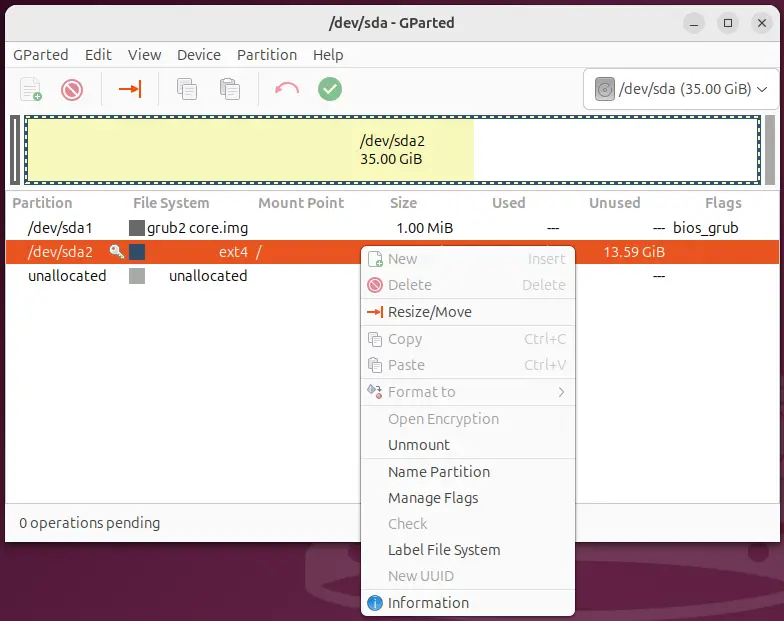
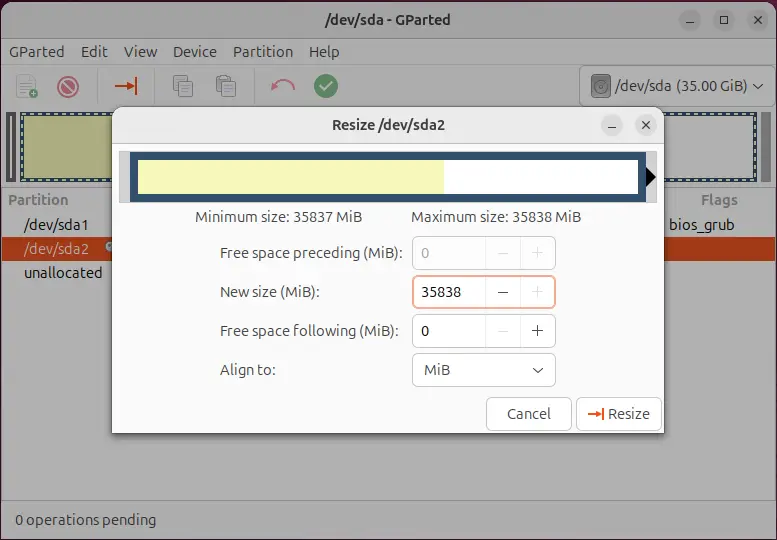
Drag the partition boundary to fill the unallocated space.
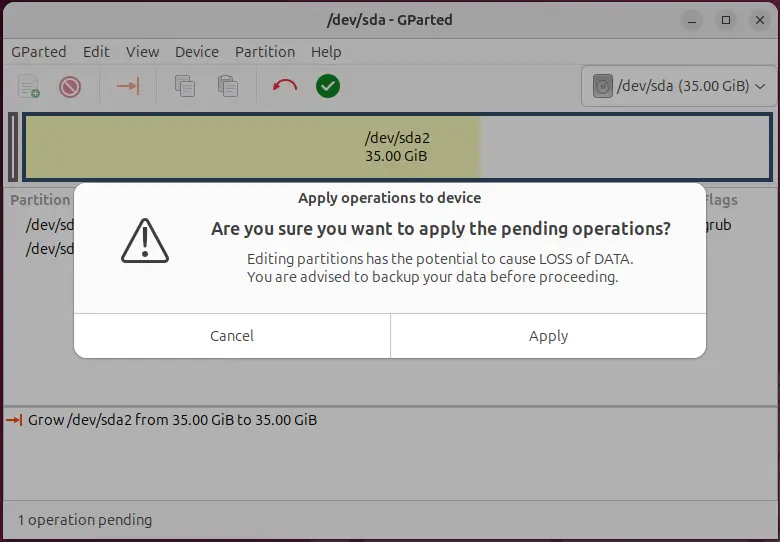
Click the Apply button.
Last updated on